On-page SEO audit right in your browser.
Including Search Console and AI.
Open any page → click the icon → get a technical audit, real Search Console data for that URL, and AI recommendations on keywords missing from the content.

Three reasons
to install it.
There are plenty of SEO extensions for Chrome, but most either know nothing about your page in Google, or require you to send your data to someone else’s server. SEO BAT does both differently.
Real Google Search Console data
Connect your Google account in one click — the extension pulls clicks, impressions, average position, and the list of actual queries for the current URL. Straight from the Google API, no middlemen.
AI audit of missing keywords
AI looks at the page content + your real Search Console queries and tells you which keywords are missing from the text, headings, and meta. A ready-to-use checklist, not generic advice.
Fully local
No backend. Page content and your keys live in the browser (chrome.storage.local). Google APIs are called under your OAuth token, Gemini under your API key. The developer sees nothing.
One click —
a full audit.
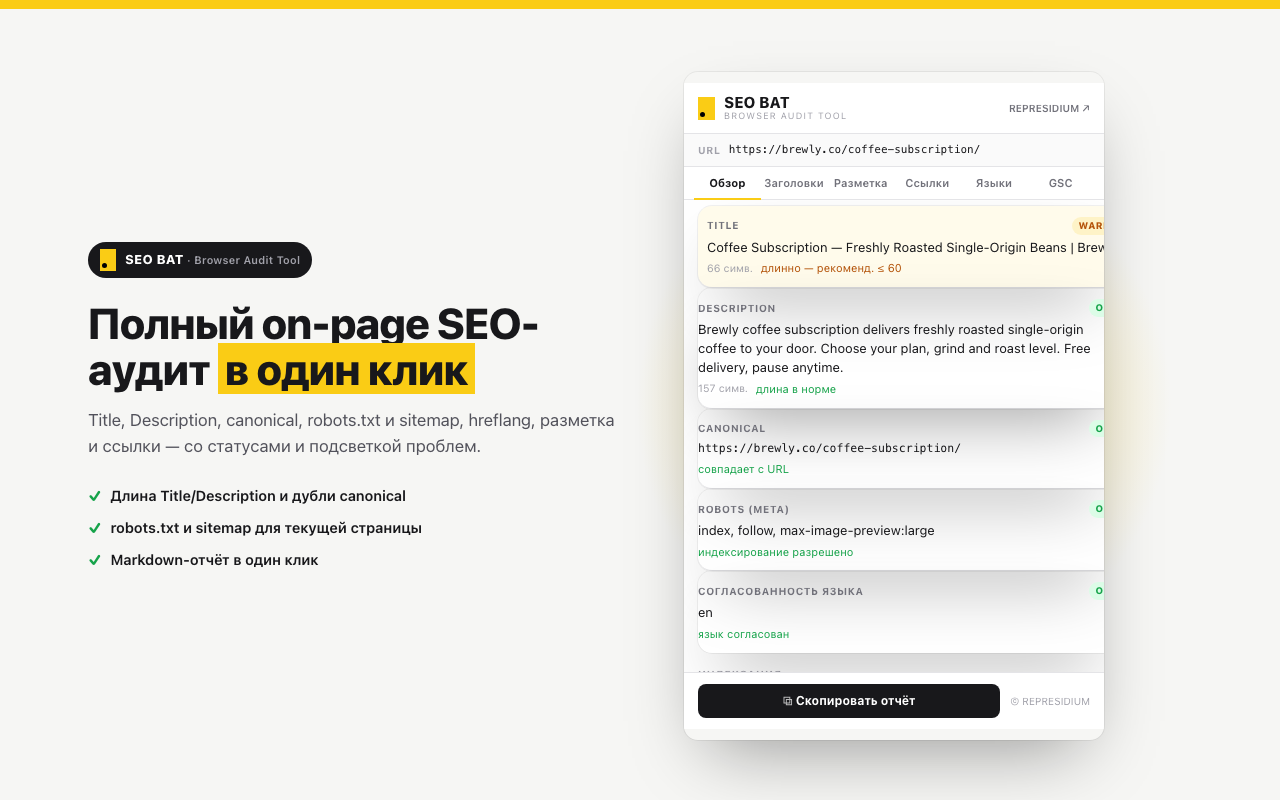
Technical on-page analysis
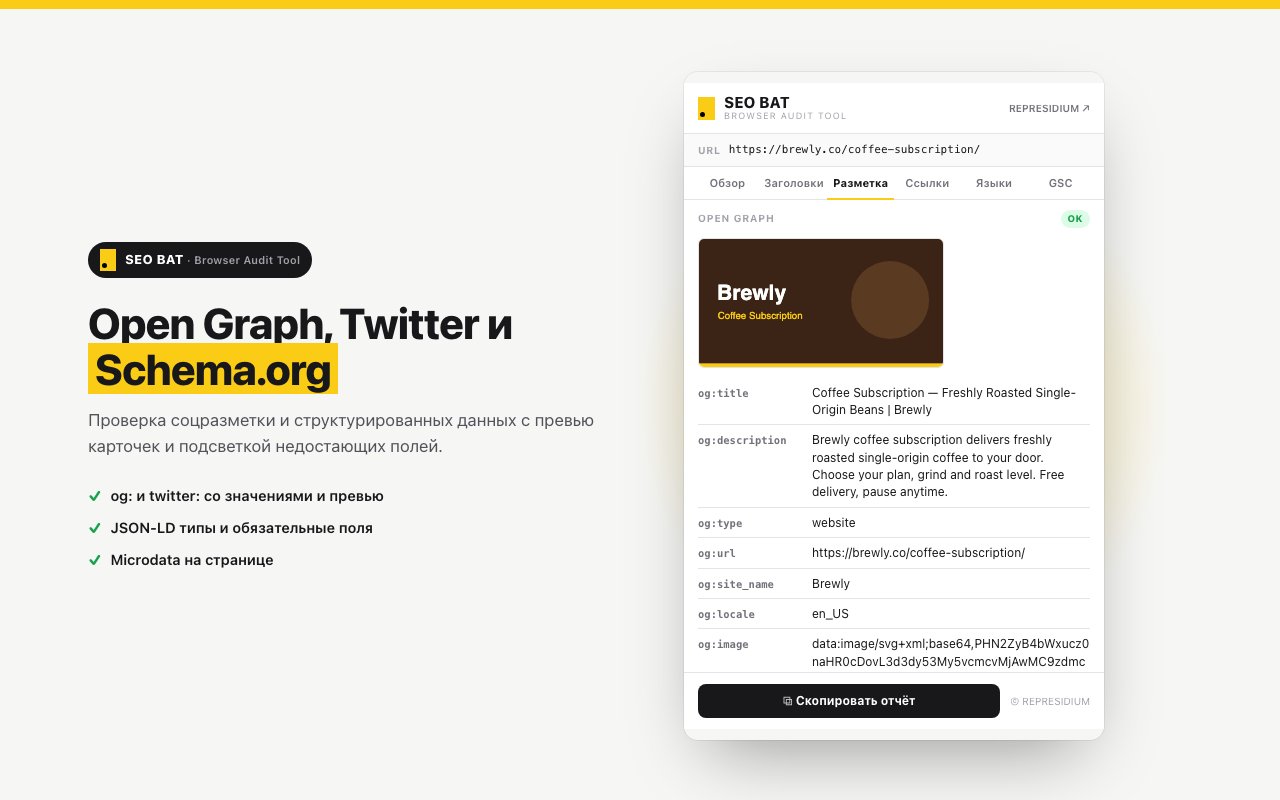
Title, Description, H1–H6 headings, clean URLs, canonical, robots, image alt-tags, hreflang, Schema.org / OpenGraph, content length and structure. Color-coded warnings and errors.
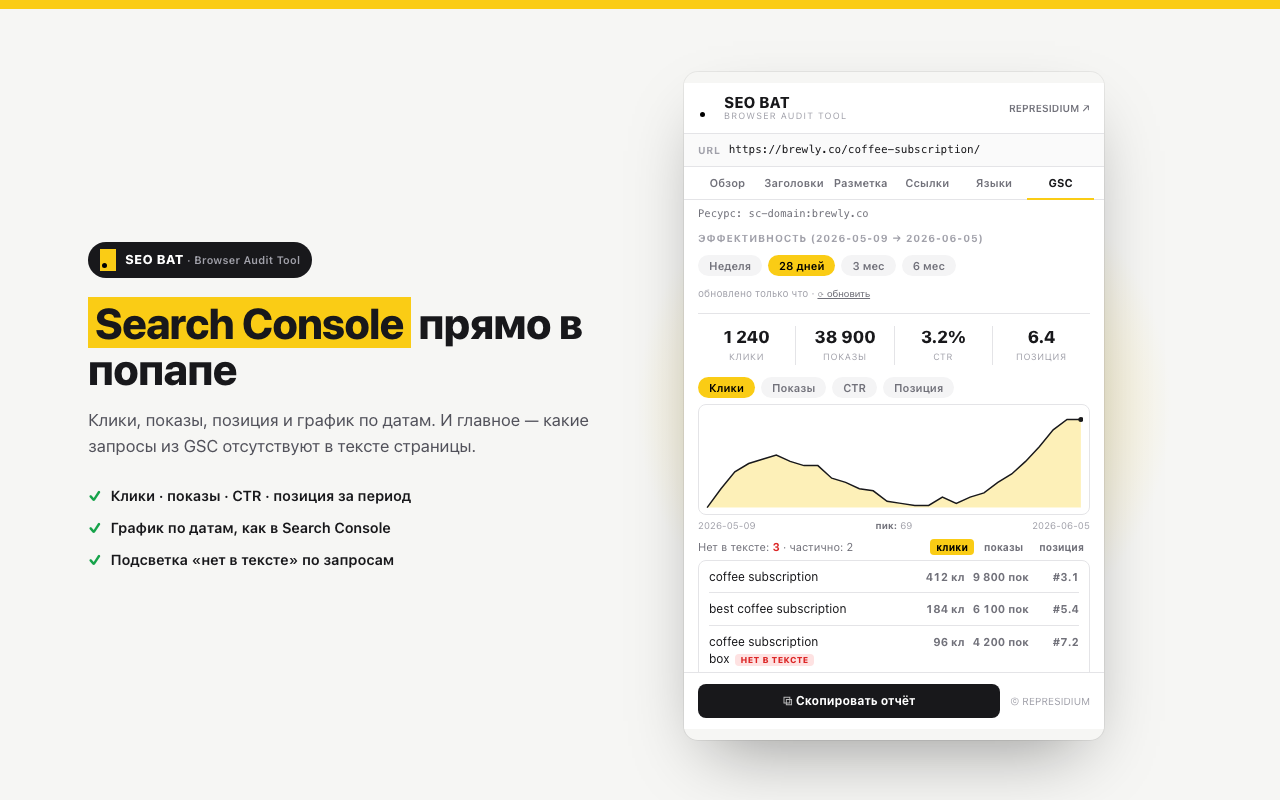
Google Search Console integration
Real clicks, impressions, average position, and CTR for the current URL over the selected period. List of top queries the page is ranking for + indexing status.
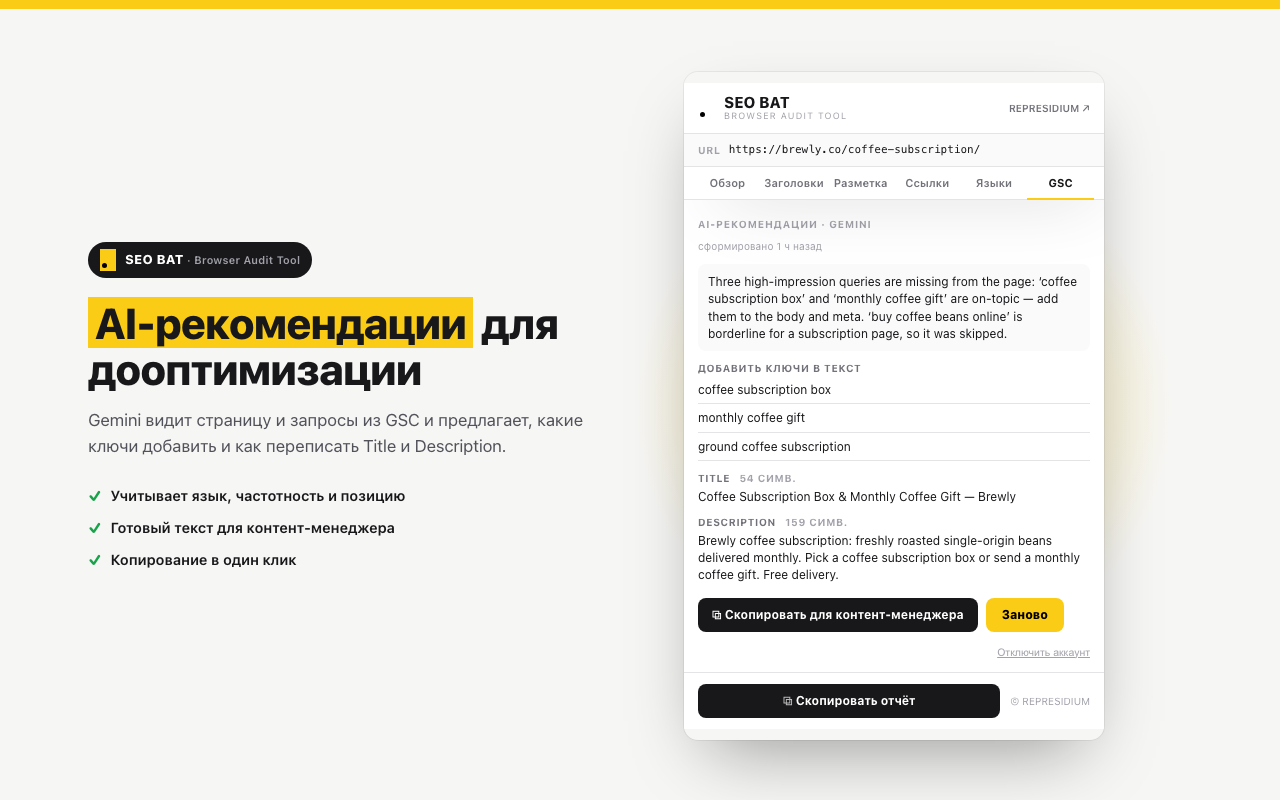
AI content recommendations
Drop in your Gemini API key — AI cross-references the page content with the real queries from Search Console. Output: a list of missing keywords for text/H-tags/meta with concrete placement hints.
Export and copy a report
Copy the audit to the clipboard to send to your developer or client, export as Markdown, share a report link.
From install
to first audit — a minute.
Install from the Chrome Web Store
One click, the extension appears in the browser’s top bar.
Connect Google Search Console
Optional but recommended. Sign in with your Google account in webmasters.readonly mode — the extension only sees stats for sites you’ve already verified.
Add a Gemini API key
Optional. Free key from aistudio.google.com/apikey. Without it, the technical audit and Search Console still work, AI recommendations are turned off.
Open any page and click the icon
The audit takes 5–15 seconds to assemble. No configuration — the extension picks sensible defaults.
Under the hood —
a modern stack.
Your data stays with you
SEO BAT has no backend. Page content, your Gemini API key, and the cache live only in the browser. Search Console and Gemini are called directly from your browser under your own credentials.
- No servers — the extension is fully client-side
- Google APIs under your OAuth token
- No ads or third-party analytics
- Removing the extension removes all data
Frequently
asked.
01 What if I don’t have Google Search Console?
The technical on-page audit works on any page without sign-in. The Search Console tab will just be empty — you can connect it later in one click.
02 How much does it cost?
The extension is free. Search Console is a free Google service. Gemini — free tier (with limits) or your own paid key.
03 Firefox / Edge / Safari?
Right now — Chromium browsers only (Chrome, Edge, Brave, Opera, Arc). Edge and Brave work but aren’t officially certified. Firefox and Safari are on the roadmap.
04 What data is sent to the developer?
None. The extension has no backend. All requests go straight from your browser to Google APIs under your credentials.
05 Can I use it without AI?
Yes. Without a Gemini key, the technical audit and Search Console are available. AI recommendations are simply off — the rest works.
Install and try it.
Free. One click. Half a minute to the first audit.